Verification
Picture Encryption
Tool
Step 11. To verify that the picture pieces can
be re-arranged, a user needs to place directories (with picture
pieces) within their "Import Base
Directory" OR "Import Base Directory" made to point towards the parent directory. In above example "Import
Base Directory" may be F:\winter . Any files placed in OnInternet directory
must be placed at the internet addresses specified.
Step 12. Using context menu in the Shelf, import .ks file created by PE Tool.
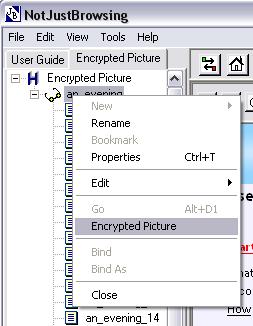
An Item will appear in the Shelf named "Encrypted Picture". Open this item in
Study Place, select the image and use "Encrypted Picture" from context menu to
initiate the process viewing encrypted picture.
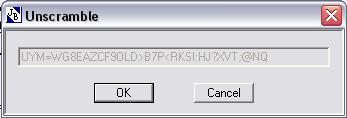
A dialog box will appear asking for keyword, copy and paste keyword from
text file created for this image by EP Tool. Press OK and picture should be
seen complete as origional, before encryption.
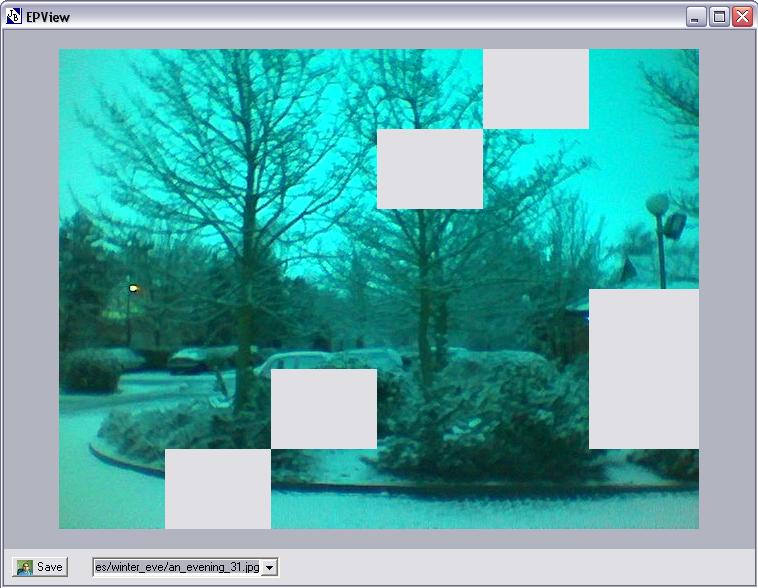
In above picture there are six pieces of picture missing. Next to
Save button, there is a list of those addresses which failed to
be accessed for any reason. In above case, these six pieces are ment to be on
the internet but they are not.
